How to Choose the Right CPU for Your Next PC Build
Choosing a central processing unit (CPU) is one of the most important decisions when assembling a new desktop computer. The processor acts as the brain of the system, handling instructions from both the operating system and applications. Its performance can influence how quickly tasks are completed, how smoothly games run, and how efficiently productivity software operates. However, there is no single best CPU for every scenario. The right choice depends on a combination of factors including the intended workload, the available budget, and the compatibility with other components such as the motherboard and memory.
Two major manufacturers dominate the consumer CPU market: Intel and AMD. Both companies offer a wide range of processors that cater to different segments, from entry-level builds to high-end workstations. Each platform has its own architectural strengths, socket types, and feature sets. Understanding these differences is essential for making an informed decision. This article provides a structured overview of the key considerations when selecting a CPU, focusing on practical comparisons between Intel and AMD offerings for gaming and productivity tasks.
Understanding Your Primary Workload
The first step in selecting a processor is to define the primary type of work the computer will perform. Gaming workloads typically benefit from high single-core clock speeds and efficient instruction-per-clock (IPC) performance. Many modern games still rely heavily on one or two cores, although newer titles are beginning to take advantage of multiple cores. For gaming, a processor with a balanced mix of strong single-threaded performance and a reasonable number of cores—such as six to eight—often provides a good experience.
Productivity tasks, on the other hand, cover a broad range of activities. Video editing, 3D rendering, software compilation, and data analysis can often scale with additional cores and threads. In these scenarios, a processor with more cores, such as 12, 16, or even more, can significantly reduce processing time. However, some productivity applications are still limited by single-core performance or specific instruction set support. It is important to research how the specific software in use behaves with different CPU architectures.
Mixed-use builds that serve both gaming and productivity need a processor that does not heavily favor one aspect over the other. Both Intel and AMD offer CPUs that perform well across both categories, but the balance differs. For example, AMD’s Ryzen 7000 and 8000 series chips often provide strong multi-threaded performance, while Intel’s 14th generation Core processors combine high clock speeds with a hybrid architecture that includes performance cores and efficient cores. Evaluating benchmark results from trusted sources for the exact applications or games expected to be used is a reliable method for narrowing down the options.
Core Counts, Thread Counts, and Architecture
The number of cores and threads a CPU has directly affects its ability to handle multiple tasks simultaneously. Single-threaded performance remains critical, but modern operating systems and applications increasingly take advantage of parallel processing. A processor with more cores can manage multiple demanding applications at once without significant slowdown. For typical gaming builds, a 6-core/12-thread CPU is often considered a baseline, while 8-core/16-thread or higher can provide more headroom for background tasks and future titles.
Intel and AMD approach core design differently. Intel uses a hybrid architecture in its recent generations, combining high-performance cores (P-cores) with high-efficiency cores (E-cores). This design aims to optimize power consumption and thermal output while delivering strong single-threaded performance when needed. AMD, with its Ryzen lineup, relies on a uniform chiplet design that scales core counts efficiently and often provides better multi-threaded performance per dollar. These architectural differences can lead to varying performance in different tasks.
Additionally, the concept of simultaneous multithreading (SMT) on AMD or Hyper-Threading on Intel allows each core to handle two threads. This can improve multitasking and throughput in heavily threaded applications. When comparing CPUs, it is useful to look at both the base core count and the thread count. For example, an Intel Core i5 with 6 P-cores and 4 E-cores may have a different multi-threading capability compared to an AMD Ryzen 5 with 6 cores and 12 threads. The actual performance depends on how software schedules tasks across these cores.
Clock Speeds, IPC, and Real-World Performance
Clock speed, measured in gigahertz (GHz), indicates how many cycles a CPU can execute per second. Higher clock speeds generally lead to faster processing for individual tasks, but they are not the only factor. Instructions per clock (IPC) determines how much work is done in each cycle. Over the years, both Intel and AMD have improved IPC through microarchitectural enhancements. A processor with a lower clock speed but higher IPC can outperform one with higher clock speeds but lower IPC in certain workloads.
For gaming, a combination of high clock speeds and strong IPC usually results in better frame rates, especially in CPU-bound scenarios. Intel has traditionally led in raw single-threaded clock speeds, but AMD’s recent Ryzen generations have closed the gap significantly. For productivity tasks, the advantage may tilt toward CPUs with more cores and moderate clock speeds, as long as the IPC is competitive. Turbo boost technologies allow processors to dynamically increase clock speeds under load, but thermal and power limits can affect sustained performance.
When comparing processors, looking at real-world benchmarks performed under controlled conditions is more informative than comparing specifications alone. Reviewers often test CPUs with a standardized set of games and applications, using the same GPU, memory, and storage to isolate CPU performance. These tests can reveal how a processor behaves in the specific tasks that matter to the user. It is also important to consider that performance can vary based on cooling solutions and motherboard power delivery.
Platform Compatibility and Upgrade Path
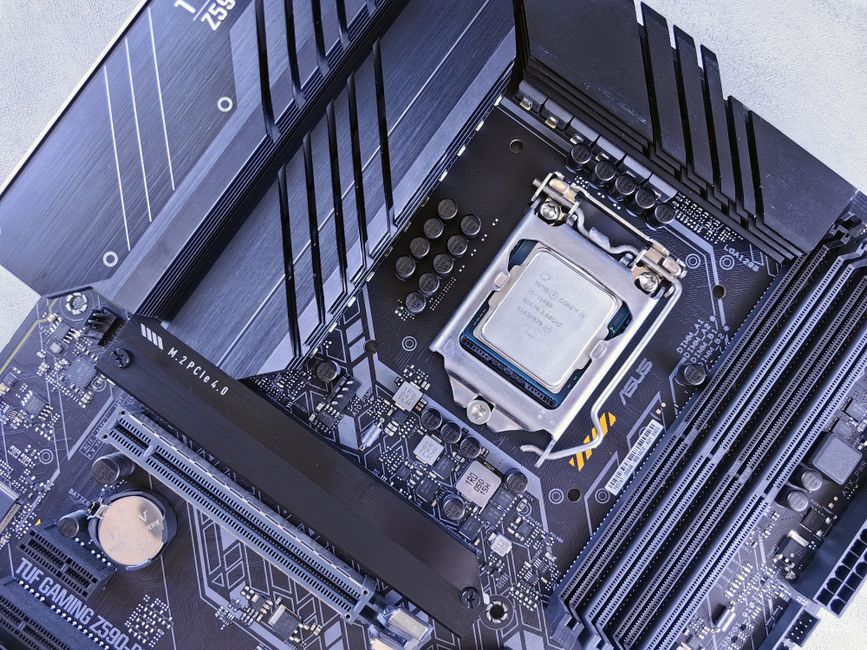
The choice of CPU determines the motherboard chipset and socket required. Intel and AMD use different sockets: Intel’s current LGA 1700 socket supports 12th, 13th, and 14th generation Core processors, while AMD’s AM5 socket supports Ryzen 7000 and 8000 series, as well as future generations. The platform also dictates which memory type (DDR4 or DDR5) and other features such as PCIe lanes, USB connectivity, and overclocking support are available.
Compatibility extends beyond the physical socket. The motherboard’s power delivery system (VRMs) must be capable of supplying stable power to the CPU, especially for higher-end models with higher TDP ratings. Cooling solutions, whether air or liquid, must match the CPU’s thermal output. Additionally, some CPUs may require a BIOS update to work with a specific motherboard, even if the socket is physically compatible. Checking the motherboard manufacturer’s CPU support list before purchase can prevent compatibility issues.
Upgrade path is another consideration. AMD has committed to supporting the AM5 socket for multiple generations, which may allow users to upgrade to a future Ryzen processor without replacing the motherboard. Intel has typically changed sockets more frequently, meaning a current LGA 1700 motherboard will likely not support processors beyond the 14th generation. For users planning to keep a build for several years, this difference can affect long-term cost and flexibility.
Budget Considerations and Value Proposition
The budget available for the CPU influences the overall balance of the build. Processors range from entry-level models under $100 to flagship models exceeding $600. In the entry-level and mid-range segments, both Intel and AMD offer compelling options. For example, an Intel Core i5 or AMD Ryzen 5 processor often provides strong performance for gaming and light productivity without requiring a large investment. In the high-end range, Intel Core i7 and i9 or AMD Ryzen 7 and 9 processors deliver additional cores and higher clock speeds for demanding tasks.
Value is not solely determined by the price of the CPU itself. The total platform cost must be considered, including the motherboard, memory, and cooling. For instance, DDR5 memory is generally more expensive than DDR4, and some Intel motherboards support both, while AMD’s AM5 requires DDR5. High-end motherboards with robust VRMs can add significant cost. If the budget is tight, pairing a mid-range CPU with a suitable motherboard and adequate memory may yield a more balanced system than overspending on the CPU alone.
It is also worth noting that bundled cooling solutions (stock coolers) are included with some processors but not all. AMD typically includes a cooler with most of its Ryzen CPUs, while Intel’s higher-end models often do not. If a stock cooler is not sufficient for the intended workload, an aftermarket cooler must be factored into the budget. Overall, the goal is to allocate resources across the core components in a way that matches the intended use without unnecessary overspending.
Ultimately, selecting a CPU requires evaluating personal priorities. Balancing performance needs, platform compatibility, and budget constraints will lead to a choice that supports the user’s computing goals over the life of the build.